Getting started
Create a market, trade, and inspect the result. Install with Helm, Docker, or from source, then use the native mmx CLI.
Connect
The CLI uses the local console and its private stored token automatically.
mmx health
mmx status
Use the addresses and operator token from your installation:
export MMX_URL=https://console.exchange.example
export MMX_GATEWAY_URLS=https://orders.exchange.example
export MMX_ADMIN_TOKEN='<your admin token>'
mmx health
mmx status
Create a market
Use a new symbol and test accounts for this walkthrough:
mmx markets set DEMO --tick-size 0.01 --min-size 1 --max-size 1000
mmx markets get DEMO
Wait until every gateway reports the configuration in sync. Market changes do not require an engine restart.
Place two orders
Sell 10 units, then buy 3 at the same price:
mmx order --player 6f1c1a52-0a62-4f4e-9d3b-2f5a4c1e7b10 place \
  --symbol DEMO --side sell --size 10 --price 10.00
mmx order --player 91d60563-0c60-4db4-b7d8-af55b99cb841 place \
  --symbol DEMO --side buy --size 3 --price 10.00
The CLI generates a fresh UUIDv7 for each order, prints its identity, and sends it once. Keep the output. An uncertain response needs reconciliation.
Inspect the trade
mmx orders --symbol DEMO --limit 10
mmx trades --symbol DEMO --limit 10
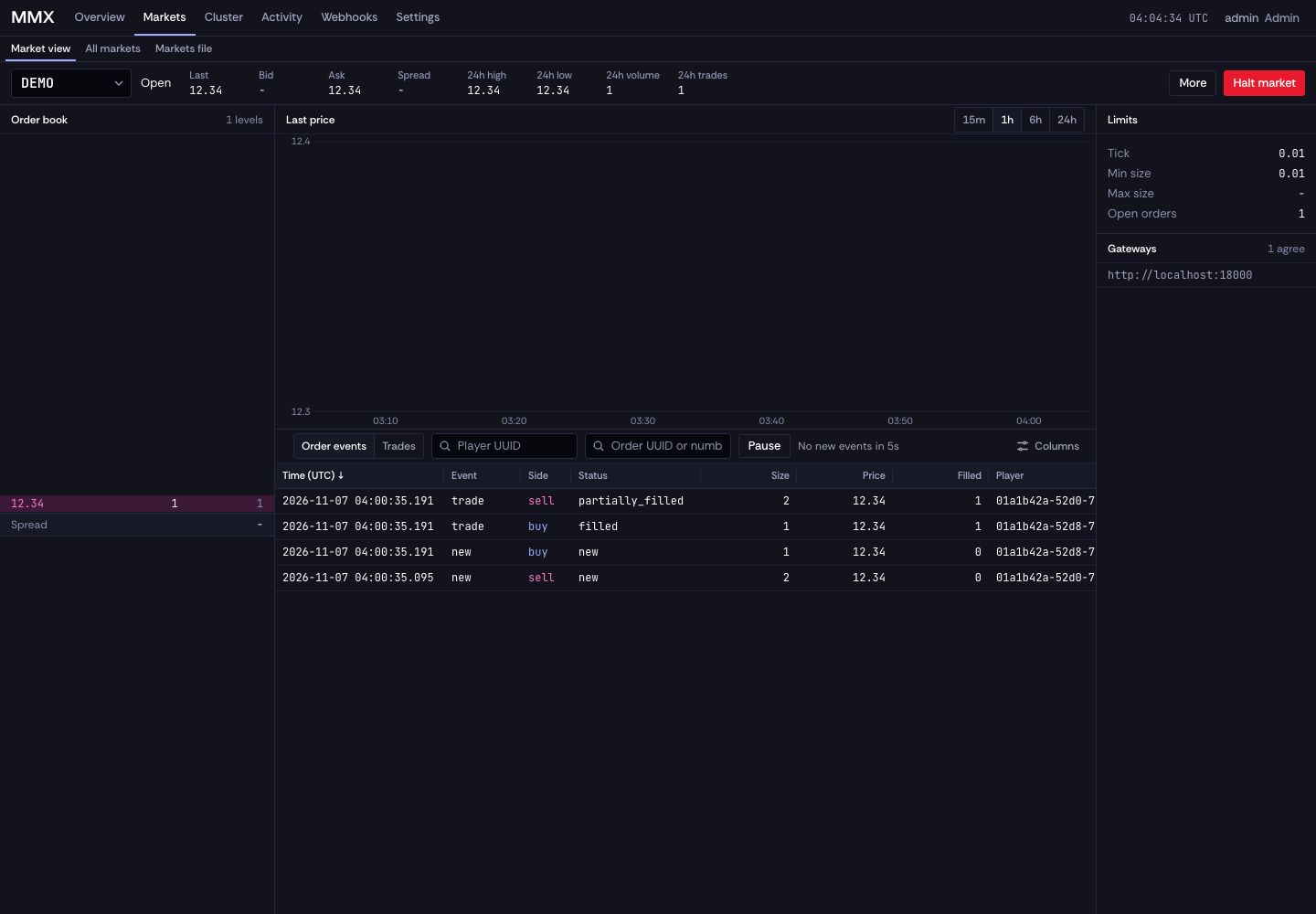
The sell has 7 units remaining; the buy is filled. Trade history contains one row per account side. Allow the recorder a moment to catch up.
Open your console service on port 8093. Read its initial password from the installation logs, then choose a password of at least 12 characters. In Markets, select DEMO to inspect its book, trades, and order events. Activity shows events across the exchange.
To recover console access, run mmx auth reset-password. This requires MMX_ADMIN_TOKEN, grants a temporary password, and signs out existing sessions.
Continue with Fill webhook to connect your game's settlement receiver.